Upon making changes, be sure to select Save Changes at the bottom of the page.
Account Settings
The name displayed here is the name associated with the customer's account.

Email Notifications
Turning Email Notifications on allows customers to start receiving notifications from the retailer in their email inbox. Notifications sent from the retailer will be delivered to the email address listed here. Indicate which type of notification to receive via email with the individual checkboxes.
Note: For new Grower360 users, Custom Application and Work Orders are defaulted to off.

When Dispatch jobs are marked as Complete, email notifications are sent.
Note: If Email Notifications is turned off, notifications will still be received on the customer's account through the Notifications feature. To view these notifications, the customer can select the Notifications icon at the top of the page. A red number tag displays next to the icon when a new notification is available.
Text Notifications
The Text Notifications option can be turned on to allow customers to receive text notifications for completed application jobs.

- Turn on Text Notifications.
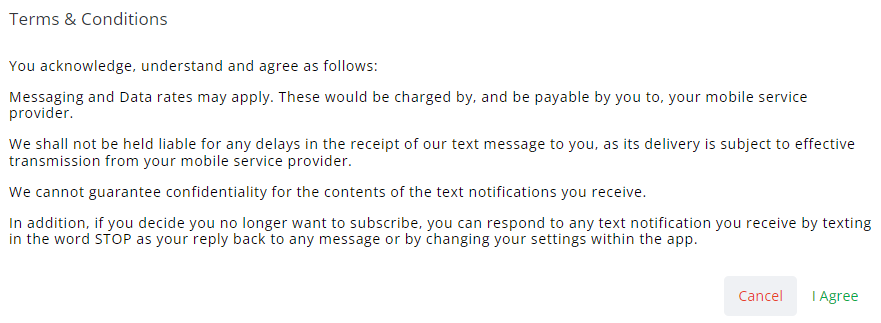
- A Terms & Conditions window displays. Read through these terms carefully, then select Agree.
- Enter the Phone Number and optionally a Description of who will be receiving notifications.
- Choose to receive notifications All Day or Set a Schedule of when to receive text notifications. Choose a Start and End time of when to receive texts.
- Indicate which type of notifications to receive via text with the individual checkboxes.
Note: For new Grower360 users, Custom Application and Work Orders are defaulted to off.
Text notifications and settings can be adjusted at any time.
When Dispatch jobs are marked as Complete, notifications are sent.
Choose Remove Phone Number to remove the phone number from the account.
Additional phone numbers can be added for Text Notifications by selecting Add Another Phone Number. As with the primary phone number setup, select which type of notifications to receive at the additional phone number.
Sent Notifications
The ability to see notifications sent to customers is available in Agvance SKY Admin.
