An optional link can be created between a Tender Driver and an Applicator. When linked, all assignments made to the Applicator automatically mirror to the Tender Driver in the same job order. This workflow supports scenarios where a Tender Driver works directly with one Applicator throughout a day or season.
A Tender Driver’s assignments cannot be edited or reordered while they are linked to an Applicator. An Agvance SKY account cannot be linked to itself, meaning a person cannot act as both the Applicator and Tender Driver for the same set of assignments. Linking is optional and is configured per Tender Driver.
Company Settings
Within Company Settings, the configuration for Tender-related roles is found under the Agvance Ops tab.

- Tender Alias
- Vehicle
- Sky Username
- Sky User Email
- Link to Applicator
- Map Icon
- Vehicle Location
- Integration Type
- Machine Alias
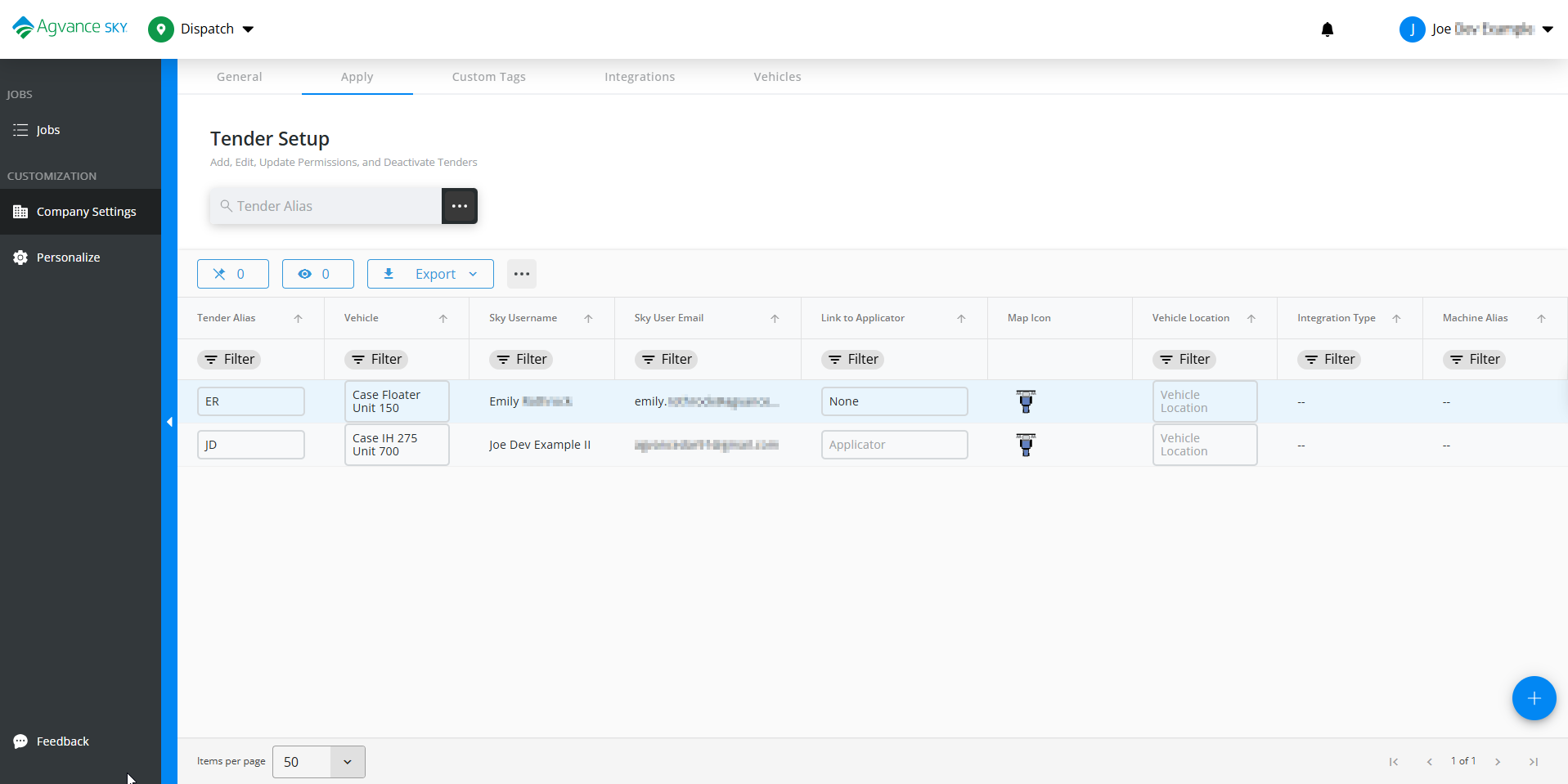
The Tender Setup grid supports the following actions:
- Establish links to Applicators
- Manage active links
- Remove links
Establishing a Link
When linking a Tender Driver to an Applicator:
- All current Applicator assignments are immediately added to the Tender Driver.
- Tender Driver must be unassigned from all jobs before linking to an Applicator.
- Removing the link will remove all assignments - there is not an option to keep.

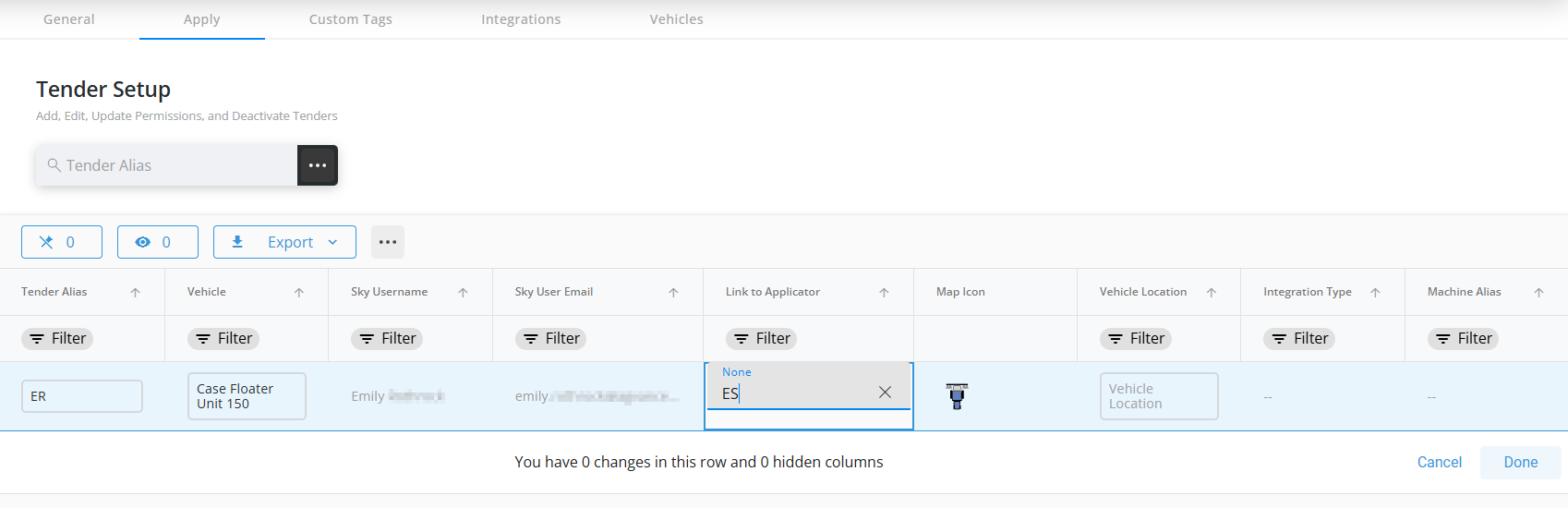
Once the link is confirmed, all existing assignments for the Applicator are immediately added to the Tender Driver, and any new, updated, or removed assignments continue to mirror automatically. The Tender Driver’s schedule always follows the same job order as the Applicator, and any changes made to the Applicator’s schedule are reflected automatically.

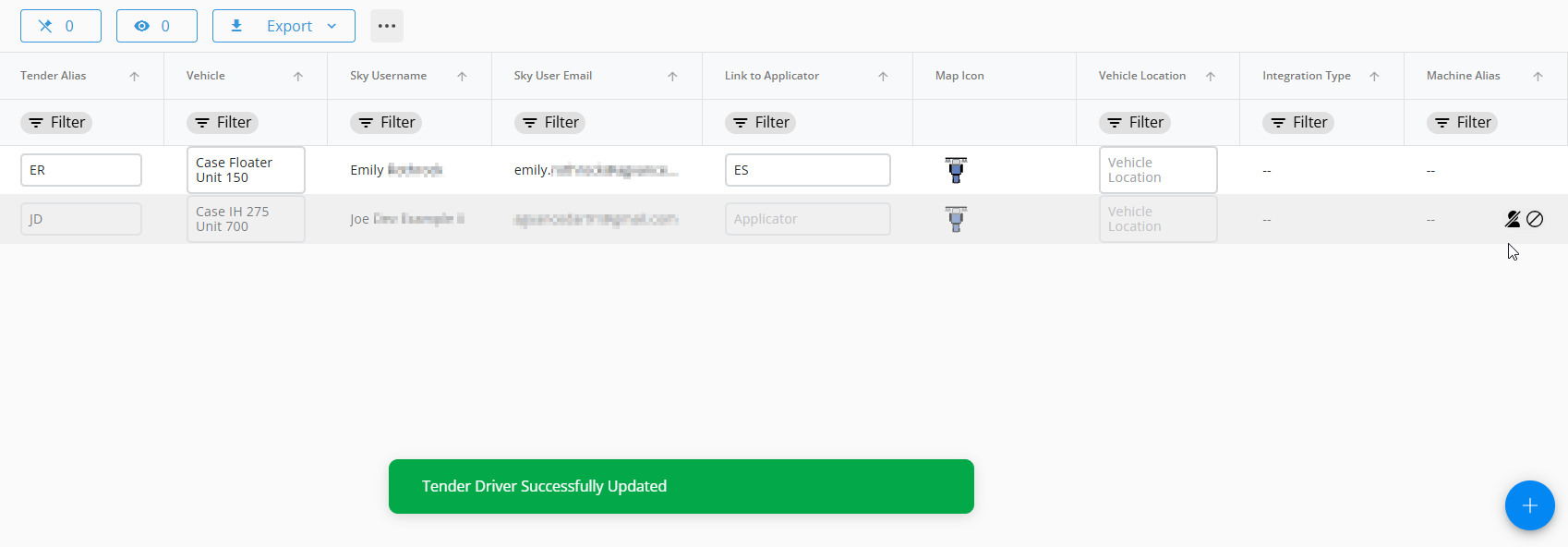
Linking Behavior
Once the link is confirmed, the Tender Driver receives all current assignments from the Applicator, and any future assignment changes including reassignment, deletion, or job order adjustments automatically mirror to the Tender Driver. The Tender Driver's job order always matches the Applicator’s job order and cannot be altered while linked.
Removing a Link
Removing a link clears all assignments from the Tender Driver. There is no option to keep assignments when the link is removed.
After unlinking, the Tender Driver may receive independent assignments again.
Multiple Tender Drivers
An Applicator may be linked to multiple Tender Drivers. Each linked Tender Driver receives the same assignments as the Applicator, and any schedule changes made to the Applicator update all linked Tender Drivers automatically.
Schedule
When a Tender Driver is linked to an Applicator, their schedule always matches the Applicator’s. The Tender Driver’s job cards cannot be moved or reordered while linked, and any changes made to the Applicator update the Tender Driver automatically.
